I have been using E-Ink devices more and more over the past few months as my sensory sensitivities increase. I have found that screen usage in particular is a problem, to the point that I wear sunglasses indoors now when I’m working or if I watch the TV.
And so my old Remarkable 2 has been used an awful lot for notes and for organisation. It’s fine, it’s a very competent device, but it is monochrome and it’s not exactly portable.
I kept thinking about the Remarkable Paper Pro Move but always discounted it as it looked too small. I liked the fact that it used colour and I did like the portability, but it was also very expensive for what you get.
And then I saw it on offer with the marker included alongside a decent case. And I thought I’d give it a try on the basis that there’s always the old Amazon return if I need it.
And I absolutely hated it when I first used it. Everything felt cramped. Everything felt so difficult to use, and to me it just made no sense at all, so I put it back in its box.
I don’t know why, but the next day I took it out of the box again and thought I’d have another go, and I forced myself to write some notes on it. And as time passed on that day, I found myself writing more notes and starting to enjoy the nerdy organisation of new files.
And so I moved my notes over from the Remarkable 2.
The Remarkable 2 had been an offline device for me, Wi-Fi turned off all of the time, because I didn’t trust the security available on this device with the Remarkable cloud systems. The Paper Pro Move is different in that regard, so I thought I would give the trial a go and see if the synchronisation added genuine benefits to what I would do with the device.
After some small hiccups regarding synchronisation, when at times it simply wouldn’t connect, things have been steady for the last month and the Paper Pro Move has proved to be a truly excellent note taker for my needs.
The backlight is useful if I need to take a note in a darkened room. But most of all, it is the size. It’s the ability to take it anywhere. Not that I go out too much. And also just be able to sit down and write out what you need to do.
And perhaps this is the most key part. I’ve found myself putting my tasks in the Remarkable, simply writing them down and referring to them in a simple list. Nothing fancy, no alarms, no categories, no extra notes. Just a simple list of things I need to do.
This can get a little bit trickier if I have something that resembles a project that needs to be done. But there is a simple template I got where you have your project name, tap it, and then you’ve got a few subtasks. So even that is catered for, and it’s catered for in a very simple way.
The things about the Remarkable that make it work so well are the things that are actually not there.
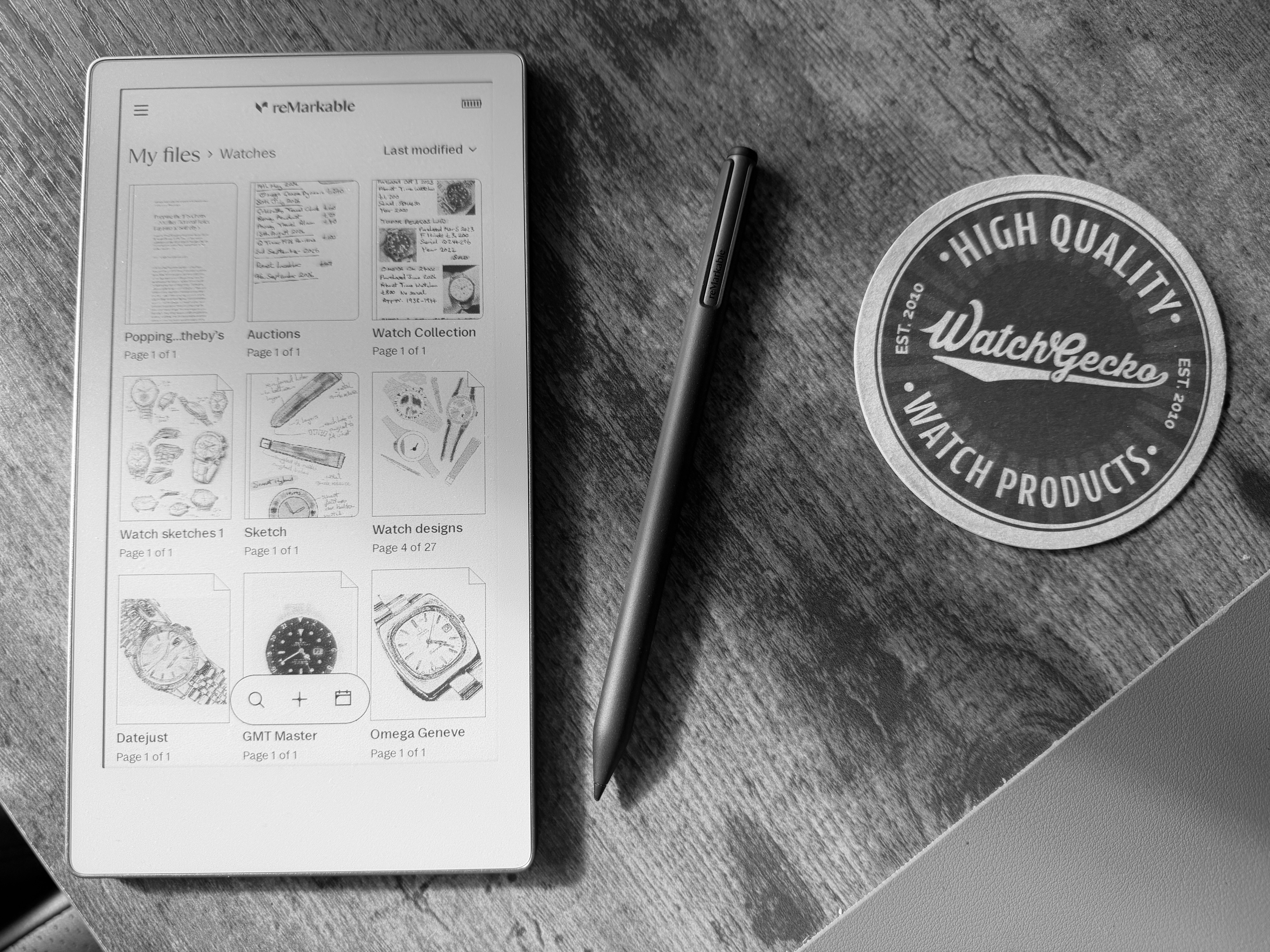
It is effectively just an e-ink note taker. One that you can write relatively complex notes in using the highlights and the colours, and one where, even in a small space, the organisational aspects will shine through.
What it isn’t good at is document reading, PDFs etc. Because the screen is so small, it’s never going to truly work for that.
I’ve seen people talk about how they have the Paper Pro Move and the new Paper Pro, which I find really quite obsessive because you’re talking plus £1,000 to own both. And for me personally, I would just pick one or the other.
It’s strange really because I remain convinced that the Paper Pro Move is in many ways a flawed product. It’s expensive, it’s small. It only really does one thing well.
But the thing it does is such a human activity that this is why it becomes a device that you simply wouldn’t want to let go.
It is genuinely a digital notebook that you write in, and the more you add to it, the more notes you add, whether it’s poetry, writing ideas, tasks, calendar entries or just your work notes throughout each day, the more you add, the better it becomes.
You can search for your writing, and the system will find what you’ve written in your own handwriting. So it does become effectively 50 big notebooks, big paper notebooks, all in something that you can carry in your hand, and it’s all searchable instantly.
And when you think about it, if you want to simplify your life, if you want to take some stress away, if you don’t want constant reminders and alarms going off, do you really need anything more from a device?
So in conclusion, yes, the device in some ways is ridiculous, and I do take note of many of the people who review the Paper Pro Move on YouTube and in other places.
They, how do I put this?
They’re not necessarily my kind of people. They talk about synergies, they talk about living a minimalist life and they live in rooms that are all white with very fashionable furniture.
That’s really not me.
But for myself and perhaps everyone else, I think we all would like a slightly simpler life and, above everything else, the Paper Pro Move does bring together simplicity and technology in probably a better way than I’ve seen done before.
Categories: Articles, Product Reviews


Leave a Reply